01 / Your computer
Shells & retained output
The local agent owns the processes. History is kept on your computer.
Stillshell connects devices without moving your shells to the cloud. The relay forwards end-to-end encrypted frames it cannot decrypt.
The local agent owns the processes. History is kept on your computer.
The relay forwards traffic. It does not hold the keys to read terminal content.
A paired device can watch and type. Only one device holds the input lease.
The cloud’s device list is never enough. A device you already trust must approve the new one.
Start from the computer you intend to connect to. Pairing brings the two devices together; it does not replace approval.
Both screens show a safety code. Compare every group on the devices themselves. If anything differs, stop and start again.
Trust the device only after comparing. Review devices and revoke remote access when you no longer need it.
Review signed-in sessions, devices and account activity. Sign out a session you do not recognise.
Browser sign-in asks you to approve the app. The app also proves it holds its device key. A stolen sign-in link alone is not enough.
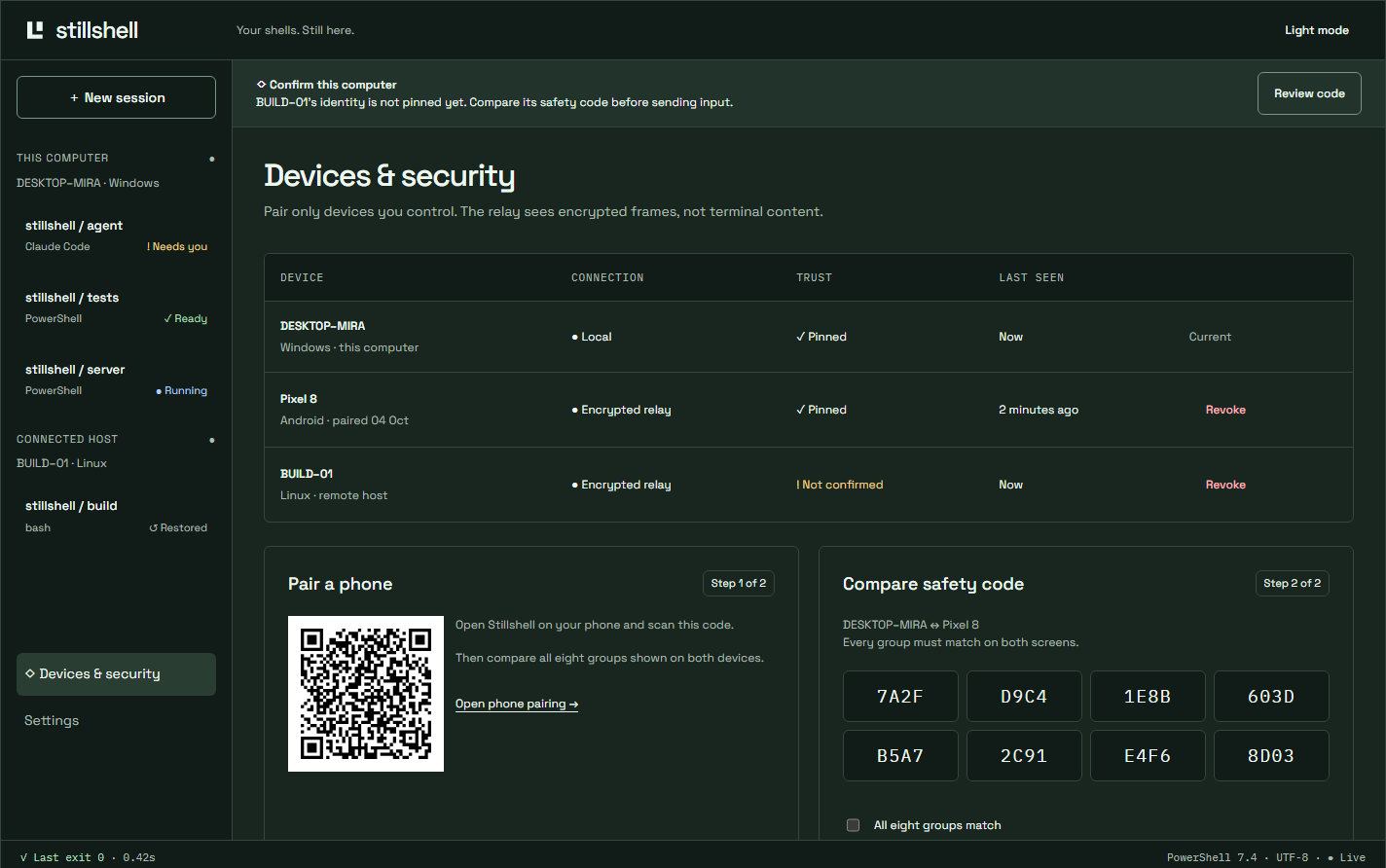
A phone or watch is its own trusted device with a small role. Pairing uses the same safety-code check you already know.
It can receive alerts, send an answer or a prompt, and see session names and states. It can never see terminal output or screen text, open a terminal, approve or remove devices, or read your synced records.
An agent question reaches the phone as a notification, but the push service only carries a sealed blob it cannot read. Questions stay end to end encrypted.
Secrets on the phone are sealed by an Android Keystore key. Settings lists your devices; you can remove another device, or pair a new one, from the phone.
Remove it from the phone, the desktop or the watch itself. A removed watch wipes its keys. After pairing, the watch works without the phone nearby; its traffic stays sealed end to end.
This is the only thing in Stillshell that does. It is said plainly, here and on the watch.
Tap Speak and talk. Up to 60 seconds a note, 30 notes an hour per watch. The watch explains this once, before your first voice note.
The short recording goes to Stillshell’s server, which turns it into text and sends it back. Speech-to-text runs on Google Gemini through OpenRouter, with a setting that asks providers not to keep or train on it. If that service is down, Stillshell’s own speech engine on our server does it instead. Audio and text are not stored and not logged on our server.
The watch shows the text. Nothing is sent until you tap Send. The prompt you then send travels end to end encrypted, like everything else.
Stored history, session keys and tokens are sealed. History uses a key held outside the database and is trimmed by age and size.
Approved devices hold the keys to account records. The server stores sealed data. Subscription entries sync; their rotating logins need one sign-in per computer.
Updates are signed and checked against a pinned key before they are accepted.
The optional MCP server grants read-only access to terminals. It is off by default and cannot send input.
Claude Code and Codex report limits on your computer. Stillshell reads those reports locally and does not send them to us.
Your approved devices display decrypted content. Protect those devices and review terminal output before sharing it with an AI tool.
A terminal program cannot copy to your clipboard without permission. You stay in control of input and clipboard access.
Watch voice notes are the only content that leaves end-to-end encryption, to be turned into text. Nothing is stored or logged.
Read exactly how it works →Link previews show the destination without contacting the website. Plain HTTP and unusual characters are labelled with warnings.
When the desktop app, this website or our cloud service breaks, it sends where the code failed, never what you were working on: no terminal text, file paths, keys or IP address. Reports stay on our own server for 30 days. The privacy notice lists what is sent. You can turn them off in the desktop app’s Settings.
14 days free. No card needed. Windows available now.