AI accounts / built into the terminal

Your next account.
The same conversation.

Keep work and personal accounts side by side. Choose one when you start an agent. Know its limits before you hit them.
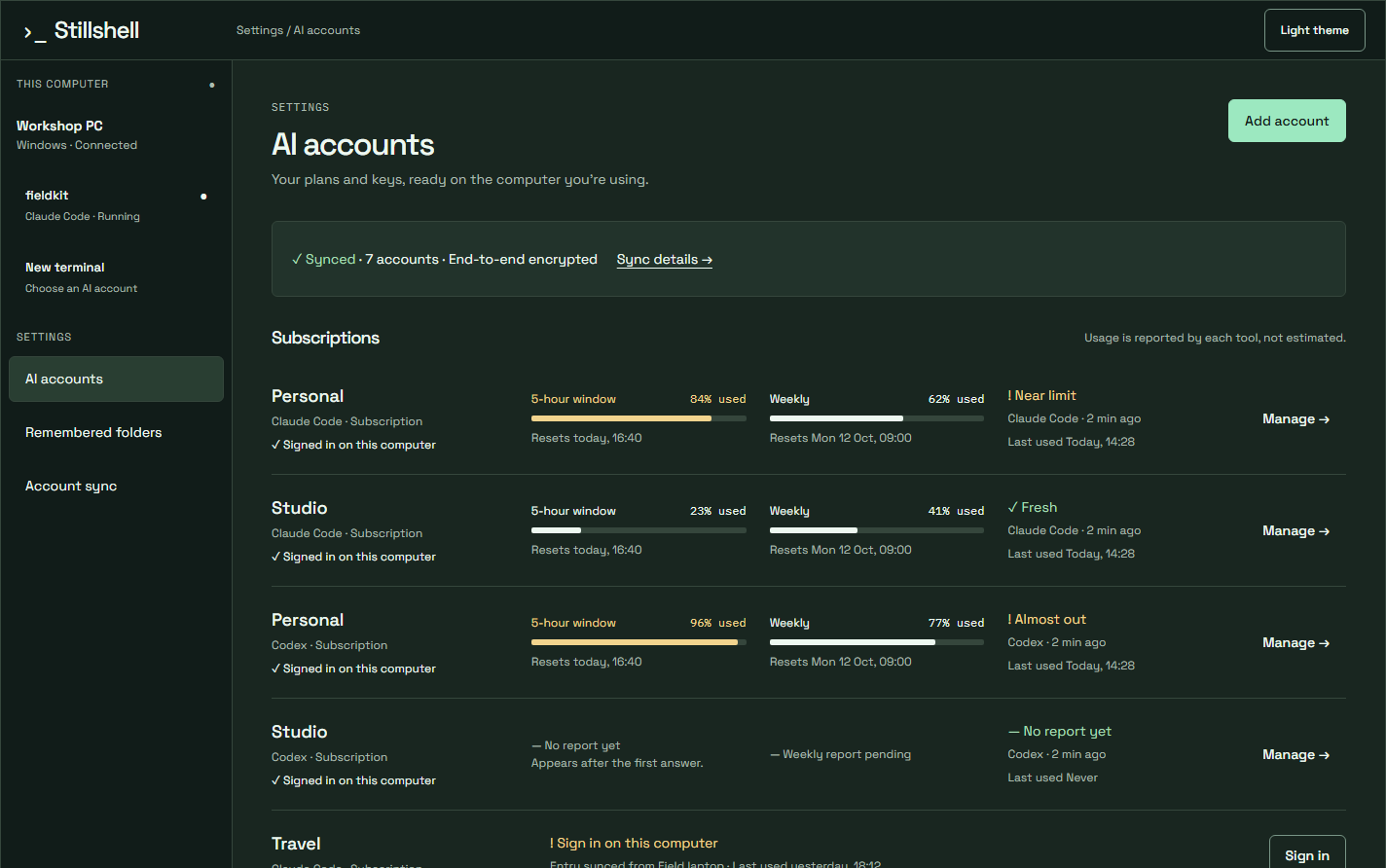
AI accounts settings, synced and end-to-end encrypted, with Claude Code and Codex subscriptions, five-hour and weekly usage bars, and near-limit, almost-out and fresh labels
AI accounts settings, synced and end-to-end encrypted, with Claude Code and Codex subscriptions, five-hour and weekly usage bars, and near-limit, almost-out and fresh labelsView full image ↗

Subscriptions stay separate

Each Claude Code or Codex subscription has its own sign-in folder. Your work login does not replace your personal one.

Your tools and your keys

Use Claude Code, Codex and OpenCode. Add Anthropic, OpenAI, Google and OpenRouter keys. A key goes only to the program you launch with it.

Your plans stay yours

Stillshell manages the accounts you bring. AI subscriptions and API charges are separate from the Stillshell plan.

01 / Start with the right account

Type the command.
Pick the account.

Run claude or codex. The launch picker shows your accounts and their usage. Choose with the keyboard, or remember an account for this folder.

If you do not answer, the last-used account starts.

↑↓Enter1–9
The launch chooser for a claude command, with accounts and their usage, Last used, a not-signed-in account, Remember for this folder, and Start with Studio or Decide laterapp-picker.png

Photo coming after the next app release.

02 / See the limit before you hit it

Usage belongs beside the work.

The account, five-hour and weekly usage, report time and reset times sit above the transcript.
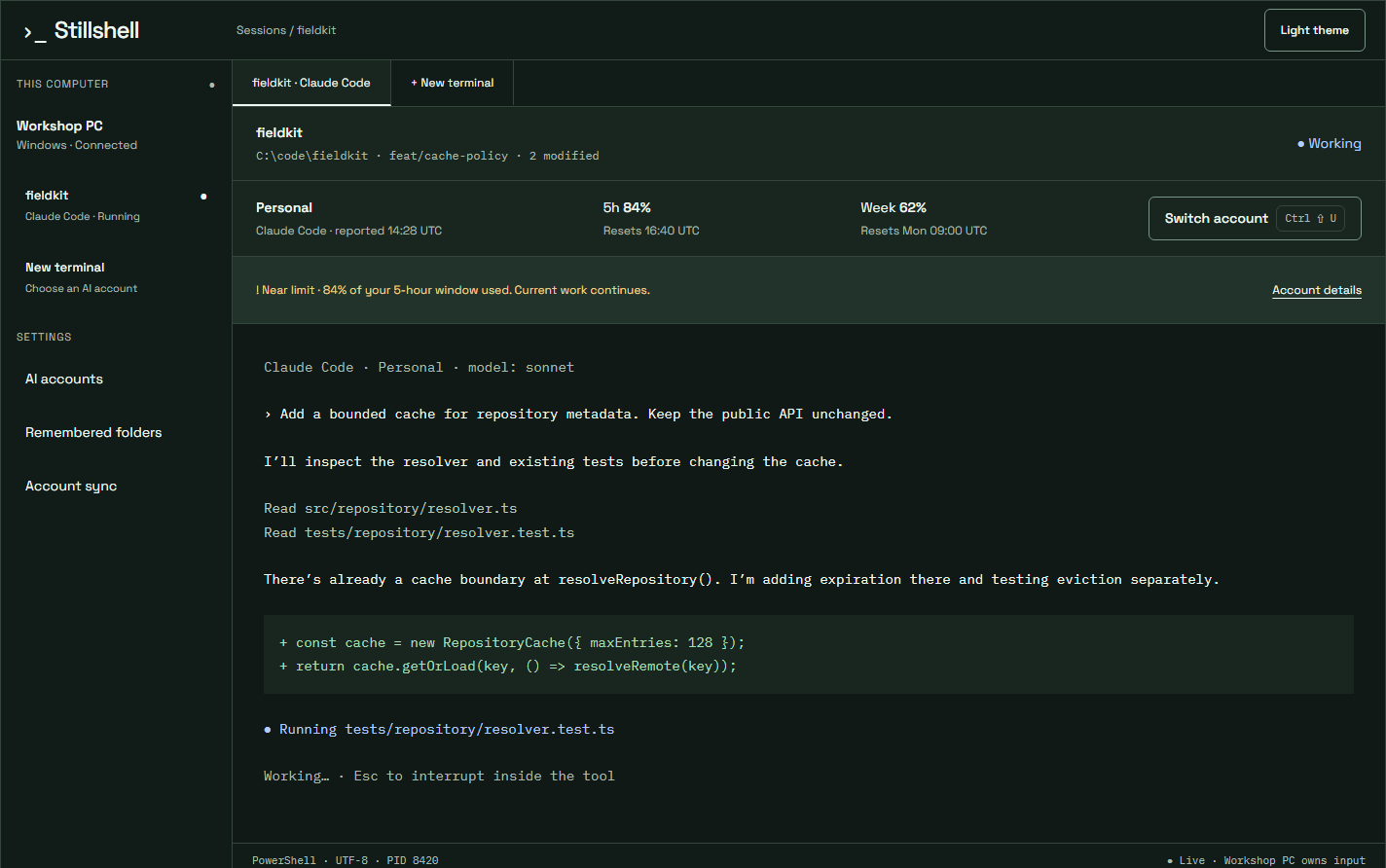
Live usage strip above a Claude Code transcript showing the Personal account, five-hour and weekly percentages, reset times, Switch account and a near-limit notice
Live usage strip above a Claude Code transcript showing the Personal account, five-hour and weekly percentages, reset times, Switch account and a near-limit noticeView full image ↗

Reported, not estimated

Claude Code and Codex report limits locally. Stillshell reads them on your computer. Nothing is sent to us. Claude Code’s own status line shows the same numbers.

Warnings you can read

At 80%, usage turns amber; at 95%, red. A symbol accompanies the colour. Freshness labels show when reports are old.

Know the boundary

Live limit reporting applies to supported subscriptions. API-key usage reporting is not available yet.

03 / Switch mid-session

A different account.
Your context intact.

Choose Switch account, or use CtrlShiftU. The tool restarts in the same terminal and resumes the same conversation.
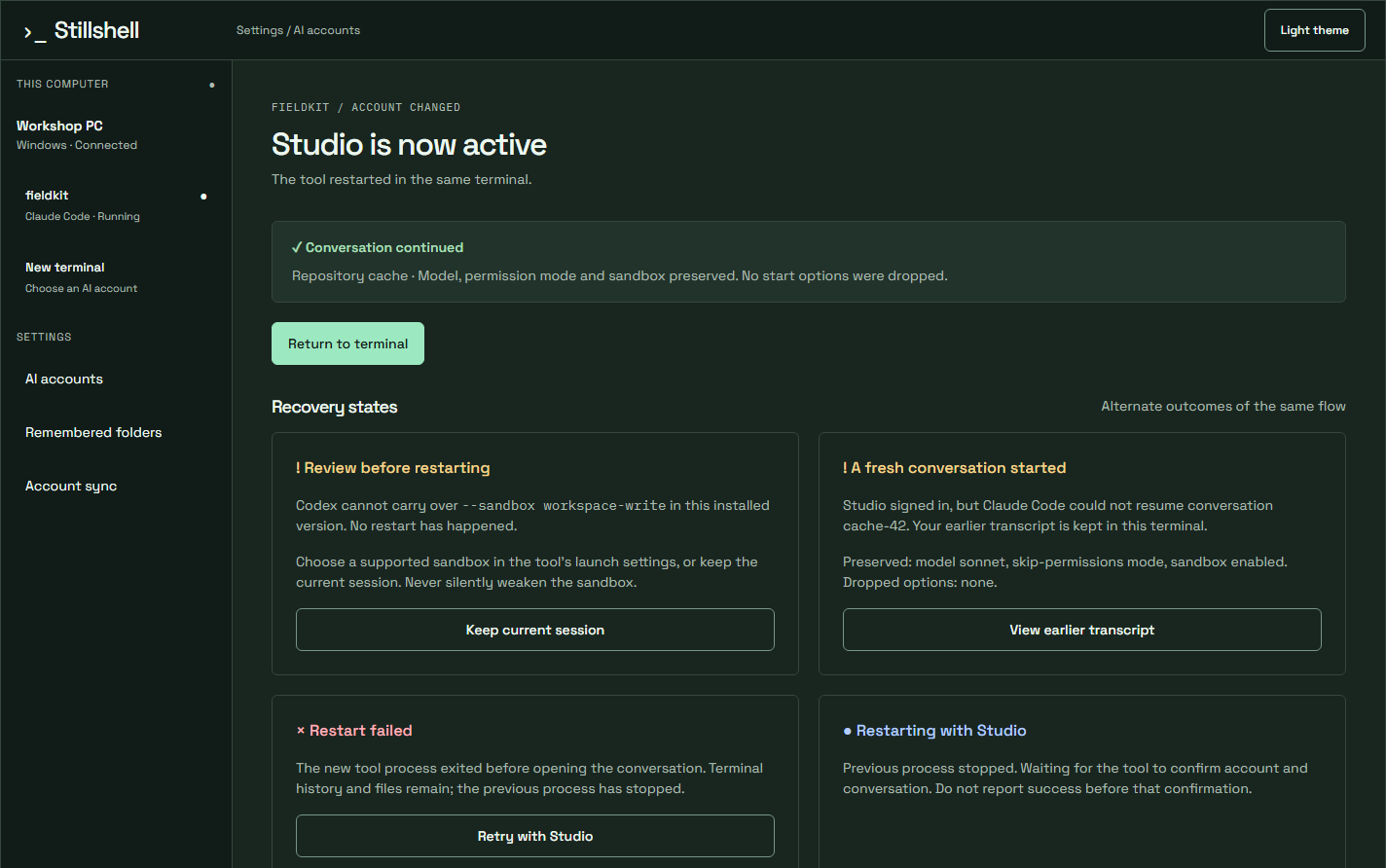
After the switch, Studio is now active and the conversation continues, with recovery outcomes for other sessions: review before restarting, fresh conversation started, restart failed, restarting
After the switch, Studio is now active and the conversation continues, with recovery outcomes for other sessions: review before restarting, fresh conversation started, restart failed, restartingView full image ↗

1. Choose an account or provider.

Codex subscriptions and configured providers appear together. Check the provider and model you are moving to.
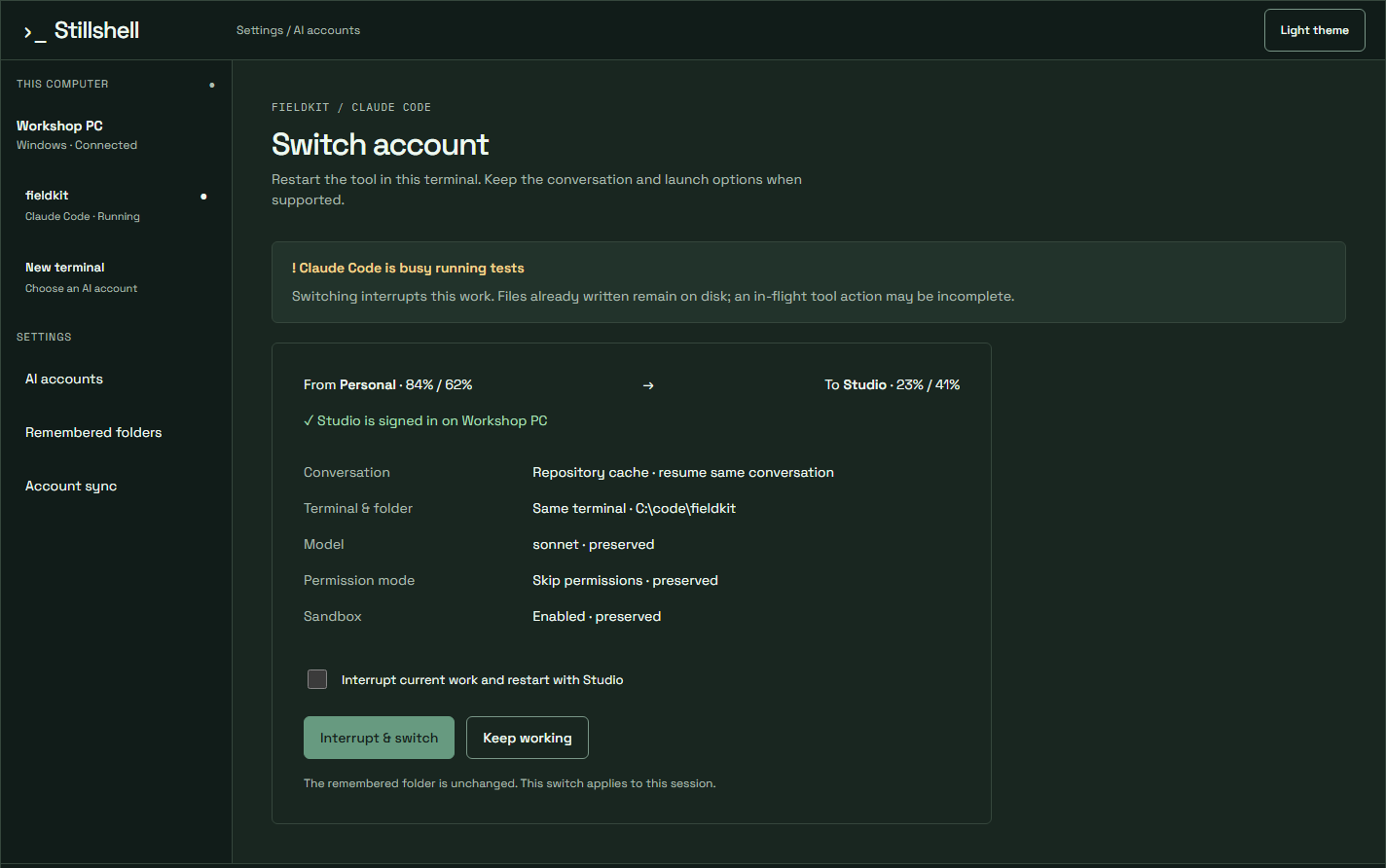
Switch account review while Claude Code is busy running tests, from Personal to Studio, with conversation, terminal and folder, model, permission mode and sandbox carried over, and an interrupt acknowledgement
Switch account review while Claude Code is busy running tests, from Personal to Studio, with conversation, terminal and folder, model, permission mode and sandbox carried over, and an interrupt acknowledgementView full image ↗

2. Review what carries over.

YOLO / skip-permissions, sandbox, approval and model settings carry over. A provider change shows its destination model in the review.

! Busy agents need an explicit interruption.

Files already written remain on disk. An in-flight tool action may be incomplete. Review and acknowledge before switching. The switch applies to this session; it does not change the folder’s remembered account.

04 / Your other computers

Synced entries.
Device-held keys.

Account records are encrypted with keys held by your approved devices. The server stores sealed data it cannot open.

Subscription entries follow you. Sign in once on each computer because subscription tokens rotate.

Read about encrypted sync →
Your next session starts here

The terminal caught up.
Bring your work.

14 days free. No card needed. Windows available now.

Get Stillshell for Windows →