Close the window. Lose the shell.
↓Close the window. Keep the work.
Local sessions keep running.
Your editors got smarter. Your tools became agents. Stillshell gives them a terminal that keeps the work, knows when you’re needed, and puts every AI account in reach.
14-day trial · No card needed
Android phone & Wear OS watch available · macOS, Linux & iPhone planned
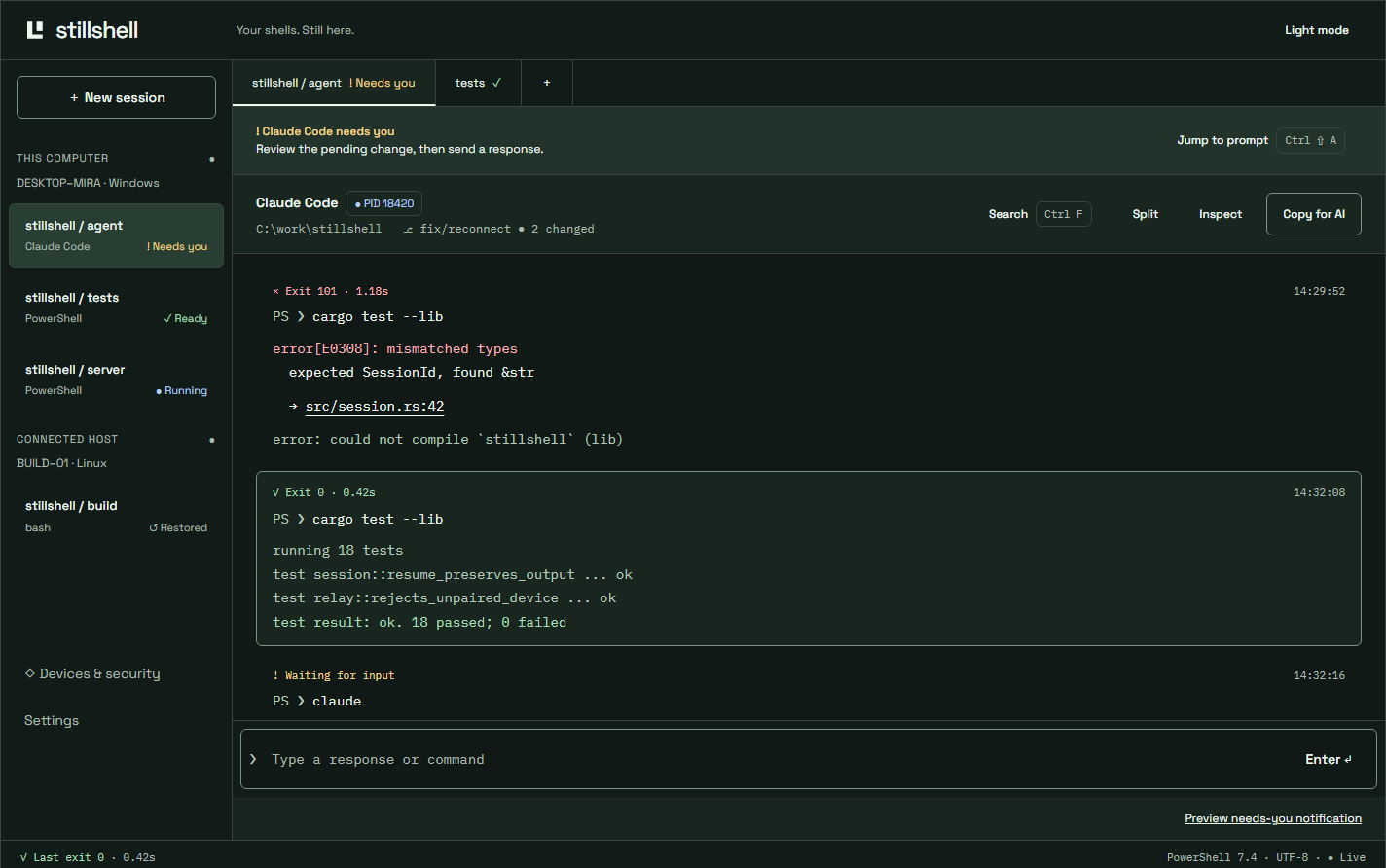
We kept the shell. Then built the things an AI workflow needs around it.
Close the window. Lose the shell.
↓Local sessions keep running.
An agent waits in a hidden tab.
↓Answer from a desktop notification.
Hit a limit. Log in again.
↓Keep the same conversation.
Read a wall of output.
↓Blocks, previews and a session record.
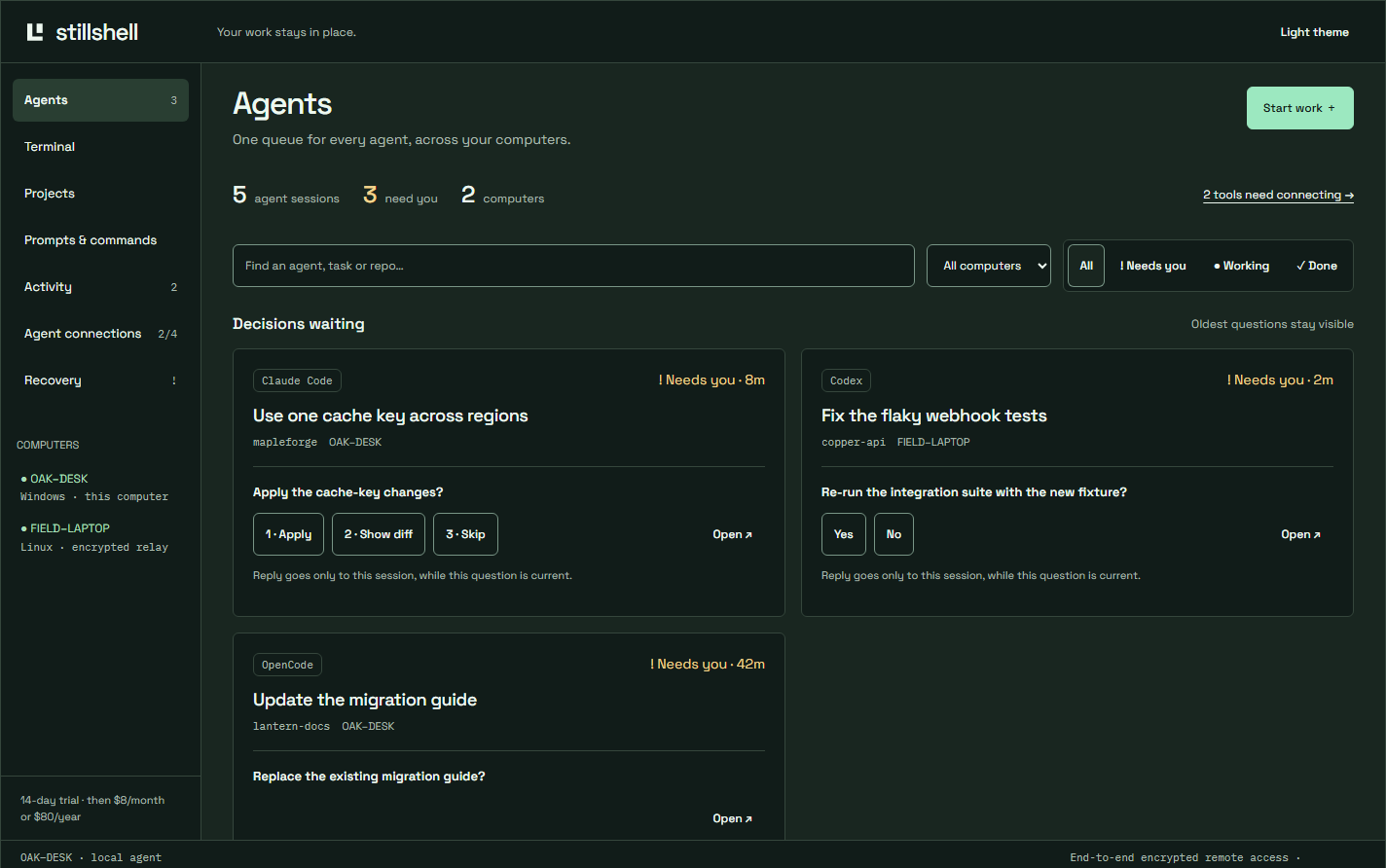
See which agent is running, done, or waiting. When Claude Code, Codex or OpenCode asks a question, answer from the desktop notification. Your choice goes to that session.
Work and personal accounts, side by side. See five-hour and weekly usage as the agent works. Switch accounts in the same terminal, with your permission mode intact.
A switch restarts the tool. If it is busy, you review and acknowledge the interruption first.
See how accounts work →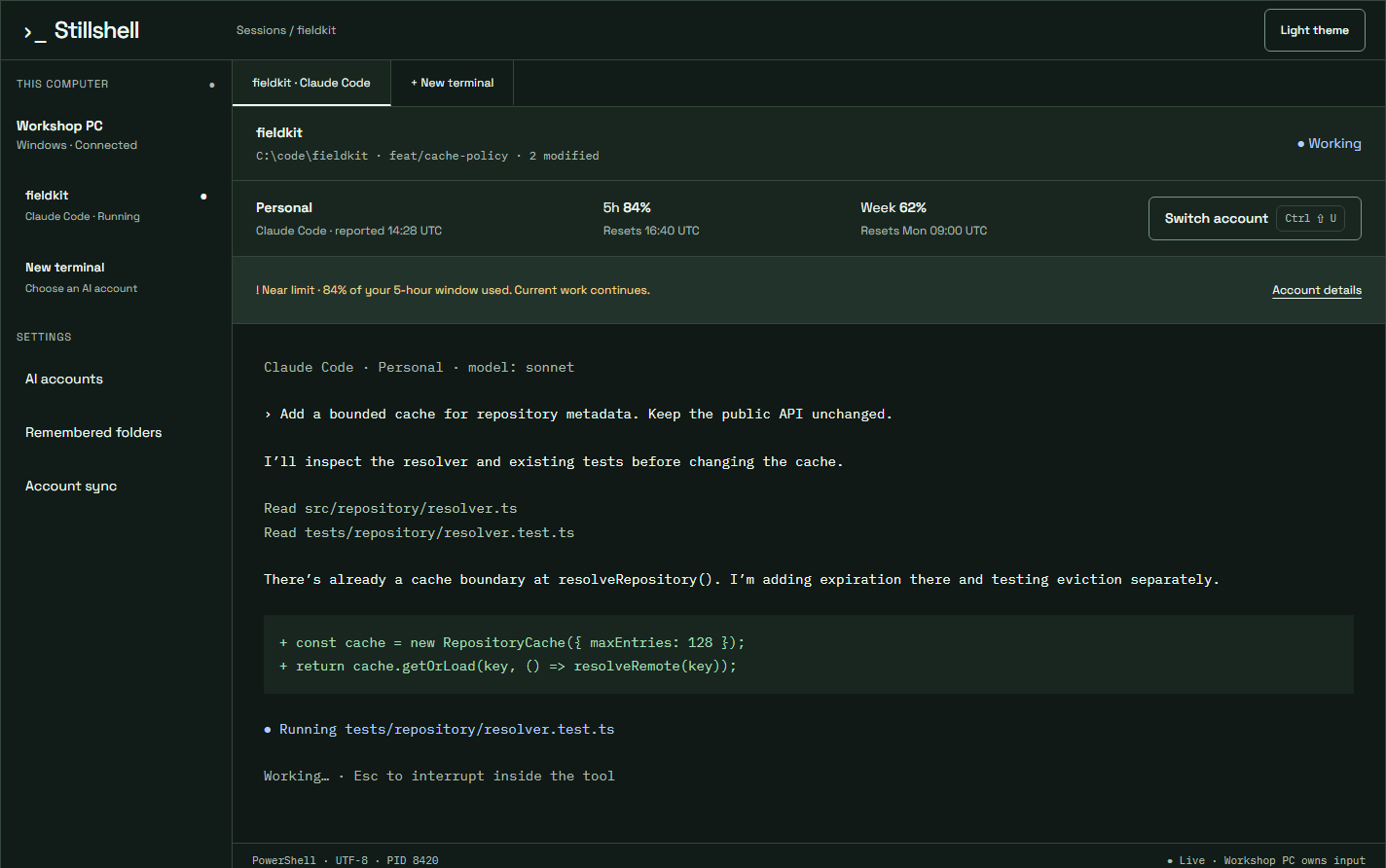
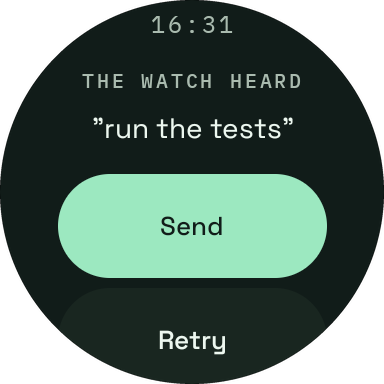
The Android phone app brings your sessions to your phone: a real terminal, agent questions you answer with one tap, and notifications you can answer from. The Wear OS watch keeps the signal on your wrist — answer from an alert, or send a spoken prompt.
Available / Android phone app
Available / Wear OS watch app
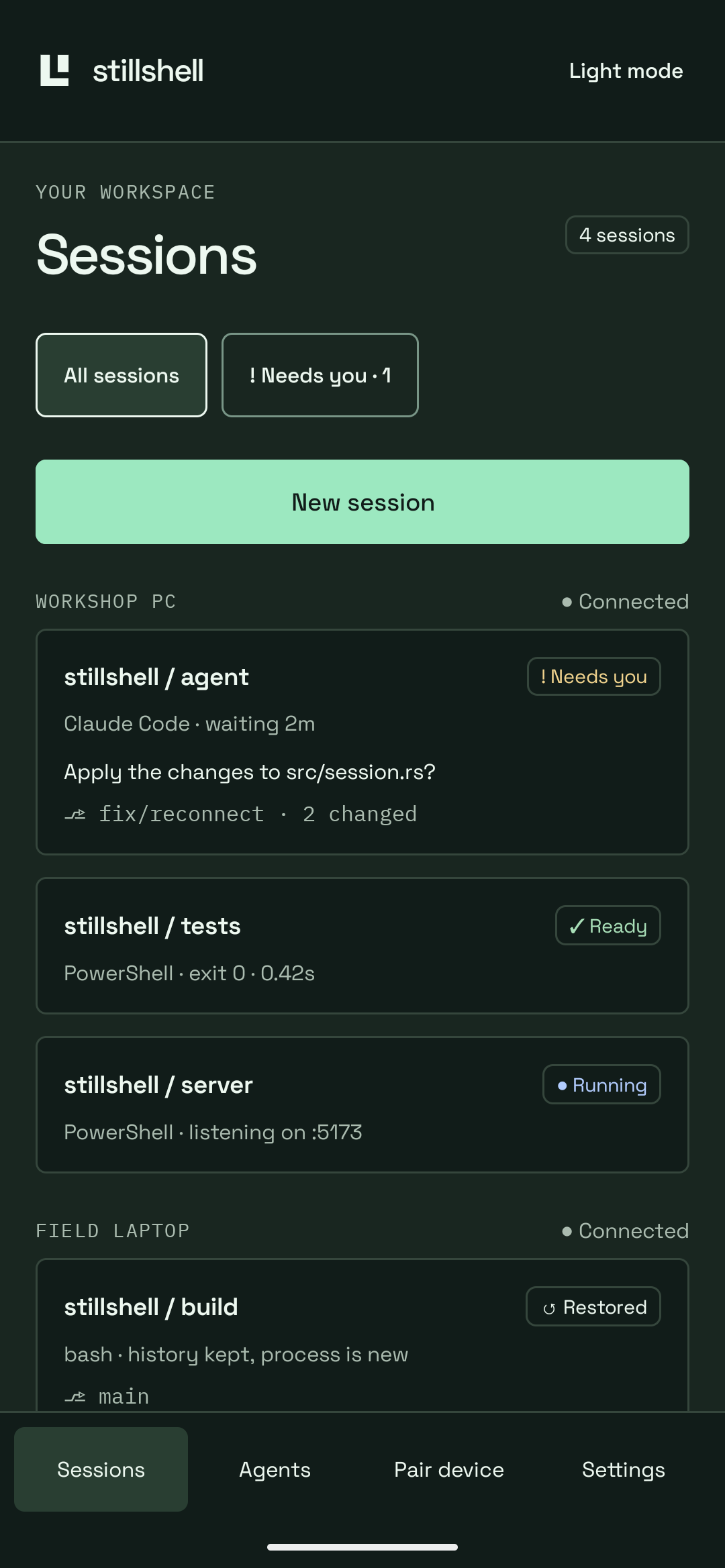
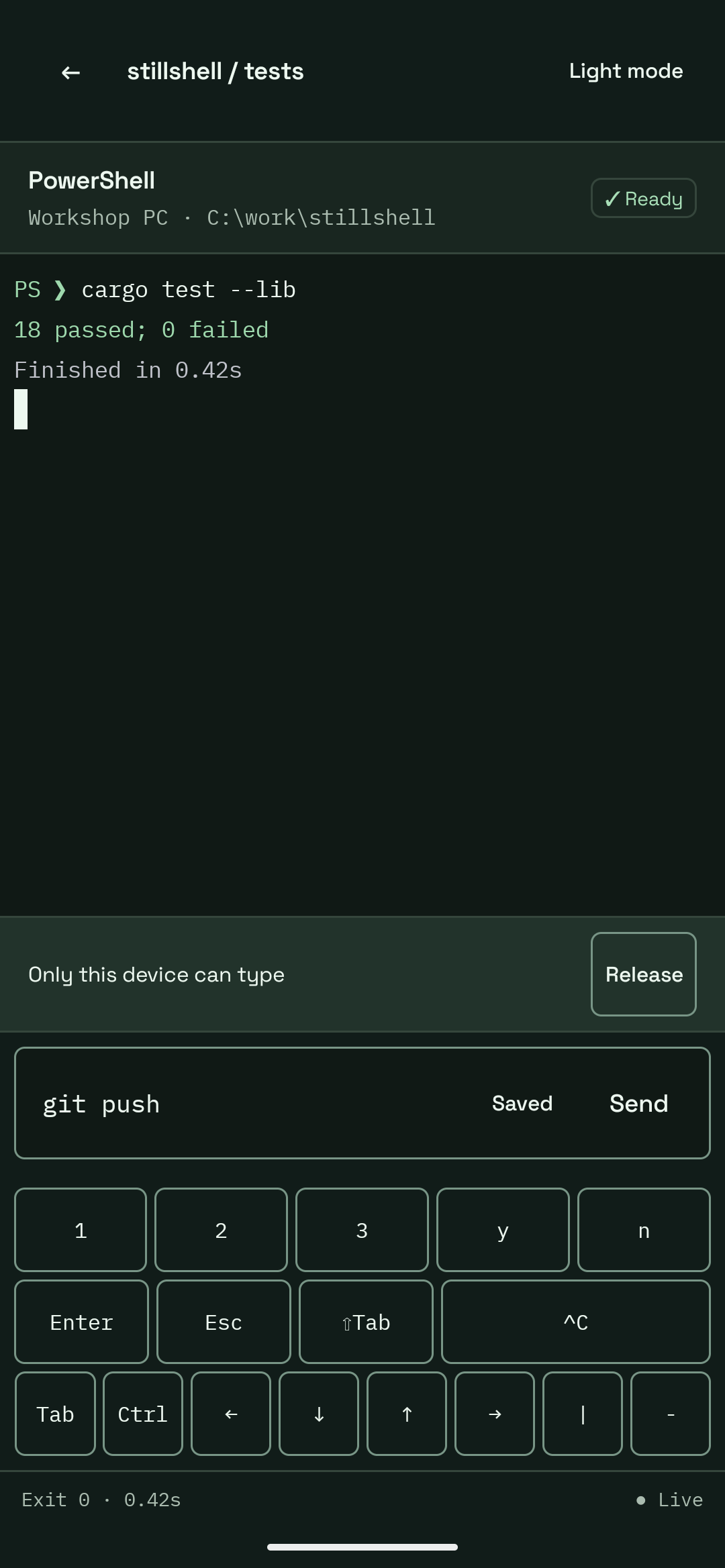
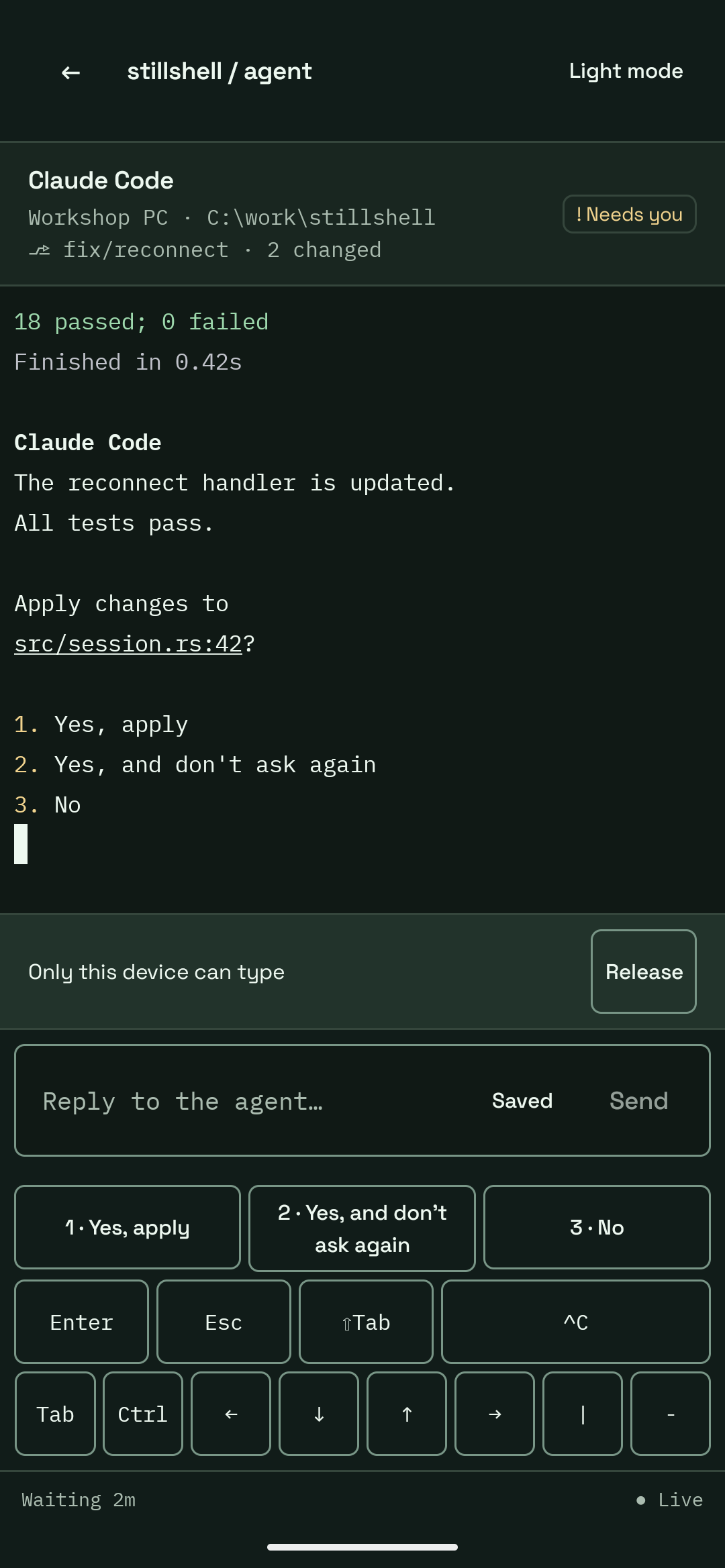
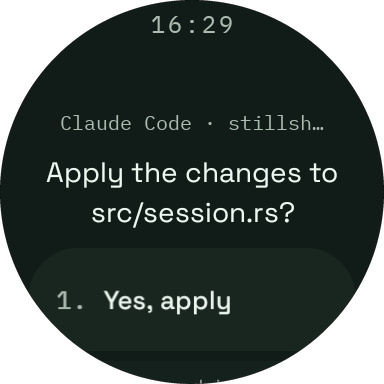
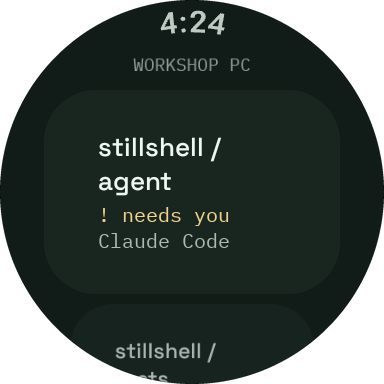
One line each. The detail lives one click away.
Close the window and the shell keeps running. After a restart, each terminal resumes its own AI conversation by its id, and your tabs come back. History is sealed on disk.
See sessions & restarts →Answer agent questions from a notification. Stillshell’s own sounds, long-command alerts, saved prompts and Copy for AI keep the work moving.
See the agent workflow →Work and personal accounts side by side, with live five-hour and weekly usage. Switch in place and keep the conversation.
See how accounts work →A clean one-line prompt. A prompt box that remembers. Paths you can preview, links you can check, command blocks, split view and file drops.
Look closer at the terminal →The session record: commands, changed files and an activity timeline. Recent projects, workspaces and task worktrees.
See the session record →Pair computers deliberately and keep one device typing. Your other computers appear in the sidebar.
How device pairing works →Your sessions, a real terminal and one-tap answers on an Android phone. Alerts and spoken prompts on a Wear OS watch.
See the phone & watch apps →Device-approved trust with safety codes, sealed storage and updates, and the one voice-note exception, said plainly.
Read the security model →Sign in with your browser, start 14 days with no card, then one plan: $8 a month or $80 a year.
Pricing & getting started →Get Stillshell for Windows →Terminal traffic is end-to-end encrypted. The relay forwards frames it cannot decrypt. Approve devices, compare safety codes, and revoke access from your account.
Read the security model →Start with 14 days free. No card. Then choose $8 a month or $80 a year. Cancel any time.
Anyone with a confirmed company email can claim your company’s code. Each person keeps their own account.
$8 billed monthly. Same plan. Cancel any time.
No card to start. AI subscriptions and API usage are separate.
Closing the app leaves the shell running. A reboot ends the process. Stillshell restores the session in its folder and reopens the tabs you had open. Each terminal resumes its own AI conversation by its id, and says plainly when there is no conversation to resume.
Yes. Add several Claude Code or Codex subscriptions and supported API keys. Your AI subscriptions and API usage remain separate from your Stillshell plan.
Yes. The Android phone app and the Wear OS watch app are available, as part of the same Stillshell account. iPhone and Apple Watch apps are planned; an Apple Watch needs the iPhone app first.
It gets your alerts — a question with one-tap answers, an agent that finished, a long or failed command, a session that ended, a computer that went offline. It can send an answer or a spoken prompt, and see session names and states. It can never see terminal output, open a terminal, approve or remove devices, or read your synced records.
A watch voice note is the one thing that leaves end-to-end encryption. The short recording goes to Stillshell's server, which turns it into text and sends it back; audio and text are not stored or logged. The watch shows this once, before the first voice note. Everything else — including the prompt you then send — stays end to end encrypted.
Choose a monthly or yearly plan to continue using Stillshell, or claim an eligible company offer. No card is required for the trial, so it does not automatically charge you.
The relay forwards encrypted frames it cannot decrypt. Shells and retained history stay on your computer. AI read access is optional, read-only and off by default.
14 days free. No card needed. Windows available now.